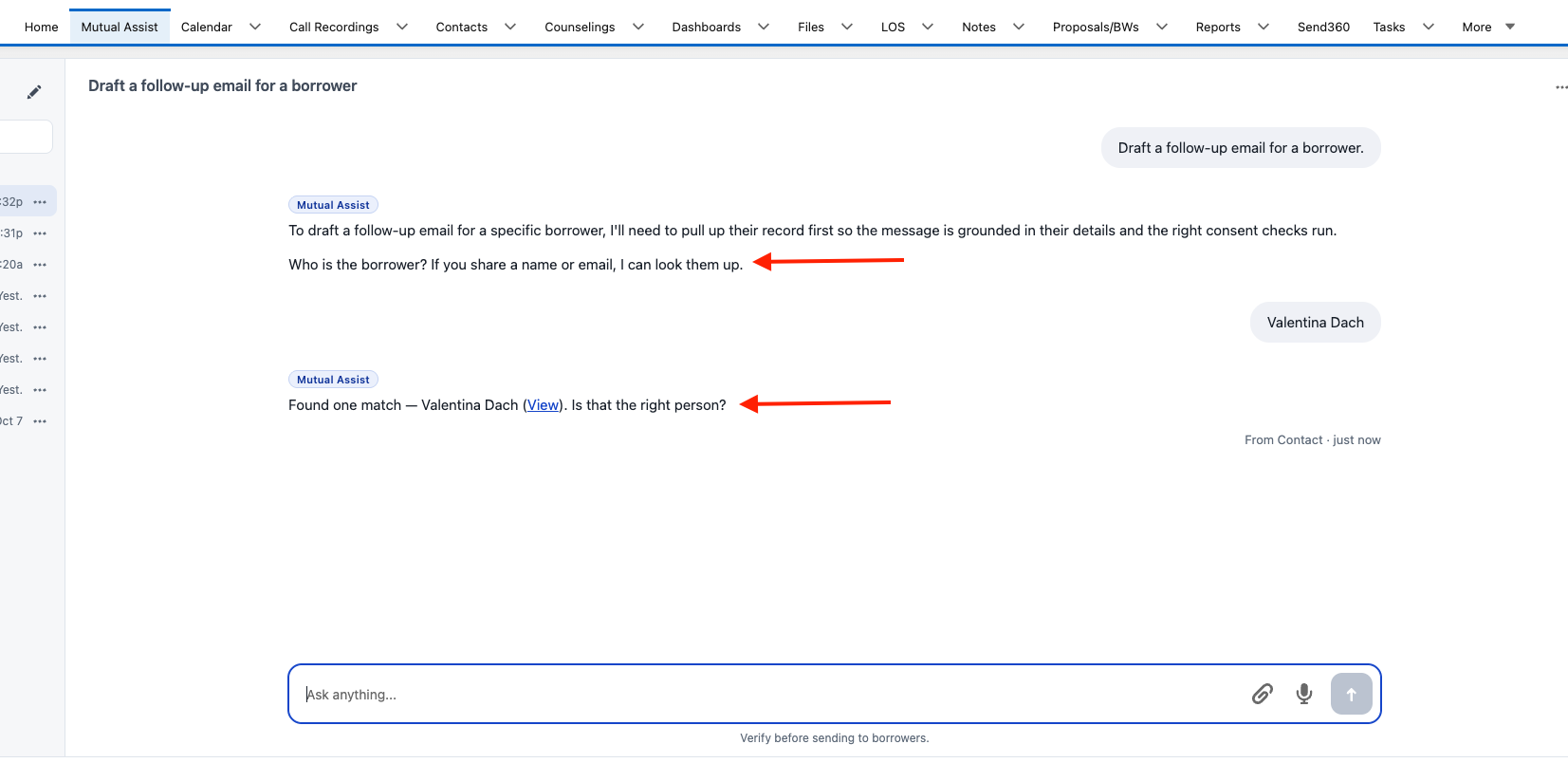
NewThe Mutual Assist tab can now do what the Contact record chat can
Draft emails, draft text messages, and use the information on a contact, all from the tab. It will first confirm who the contact is, pull that contact in and show it to you so you can check it, and then start on whatever you asked for.
NewFile upload and dictation look and work the same in both places
The two surfaces now look the same as well.
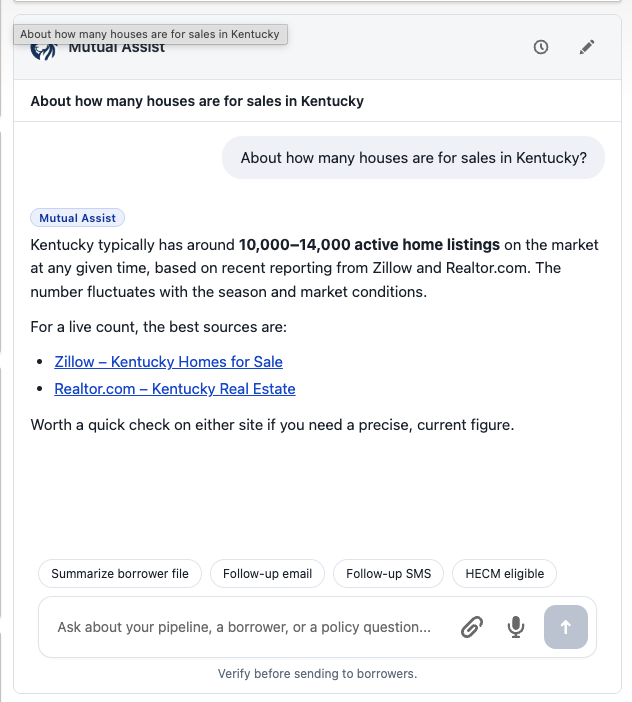
NewWeb search now works from the Contact record chat
The same way it already does on the tab.
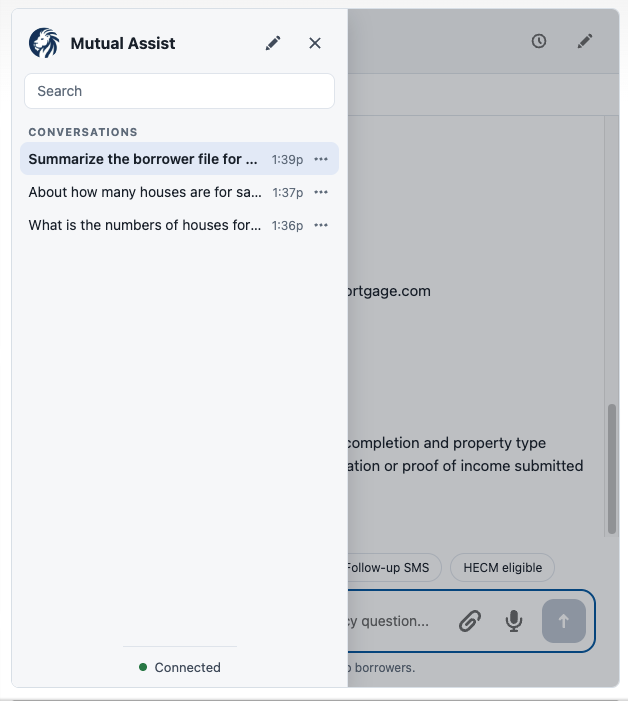
NewThe Contact record chat now saves your chat sessions
Click the clock icon in the chat box, next to the pencil icon, to see them. You can rename, pin and delete individual chats, just as you can on the tab. Chat sessions in both places are saved for up to 15 days.
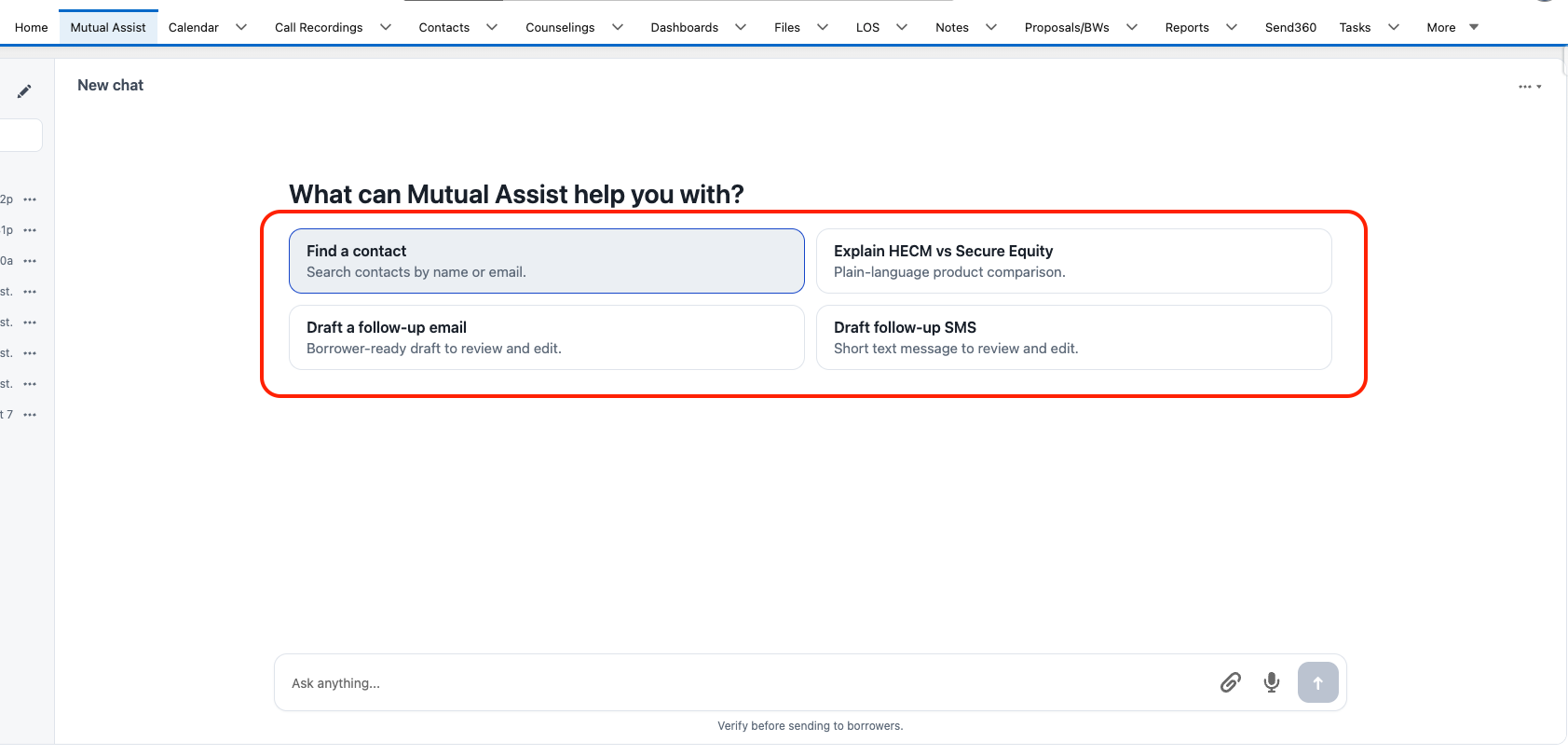
NewQuick-start buttons on a new chat in the Mutual Assist tab
A new chat on the Mutual Assist tab opens with four quick-start buttons: Find a Contact, Draft a Follow-Up Email, Draft a follow-up SMS, and HECM vs Secure Equity. Click one and the question is asked for you.
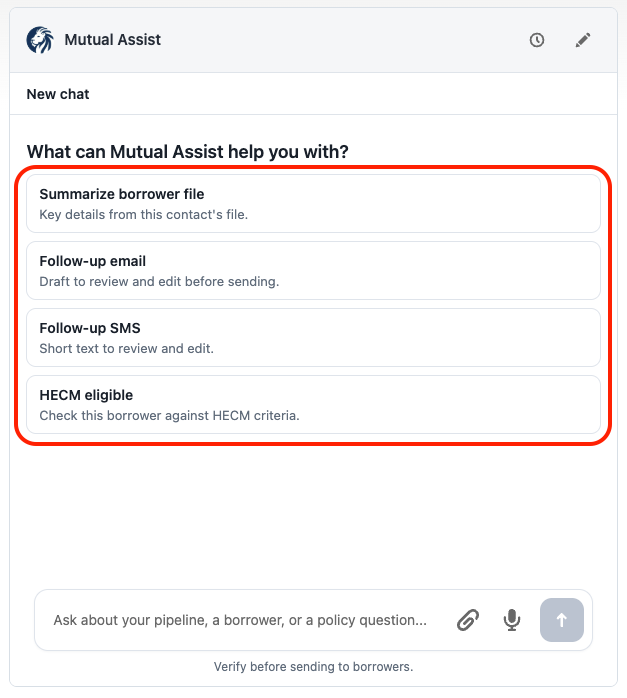
NewQuick-start buttons on a new chat on a Contact record
A new chat on a Contact record opens with four quick-start buttons: Summarize borrower file, Follow-up email, Follow-up SMS, and HECM eligible. Click one and the question is asked for you.
 Mutual Assist